Change the theme. Keep the forum.
Choose Automation, then switch themes. The same topic and reply count should remain. Reset brings back all three topics.
Build a small lighthouseBuilds · Lina
Keep the doorway visible from the path. Try a contrasting roof so the tower is easy to find from a distance.
Sort a chest with two hoppersAutomation · Moss
Start with two item types. Check where each one lands before adding more lanes to the sorter.
Plan a village pathBuilds · Rowan
Connect the entrance, workshop and garden first. Walk the route before filling the spaces between them.
3 topics · Paper theme.
From V2EX to MCRAFT
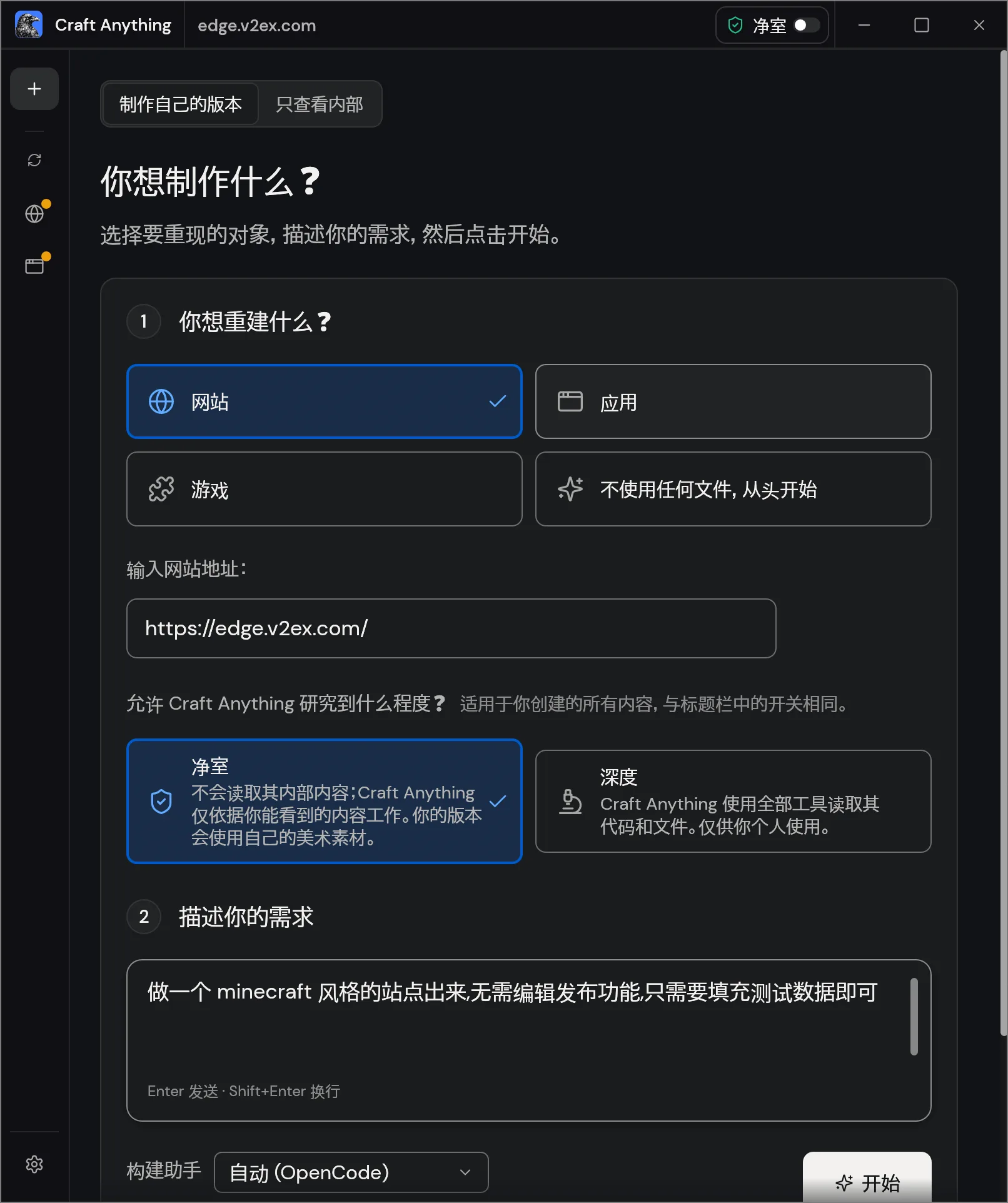
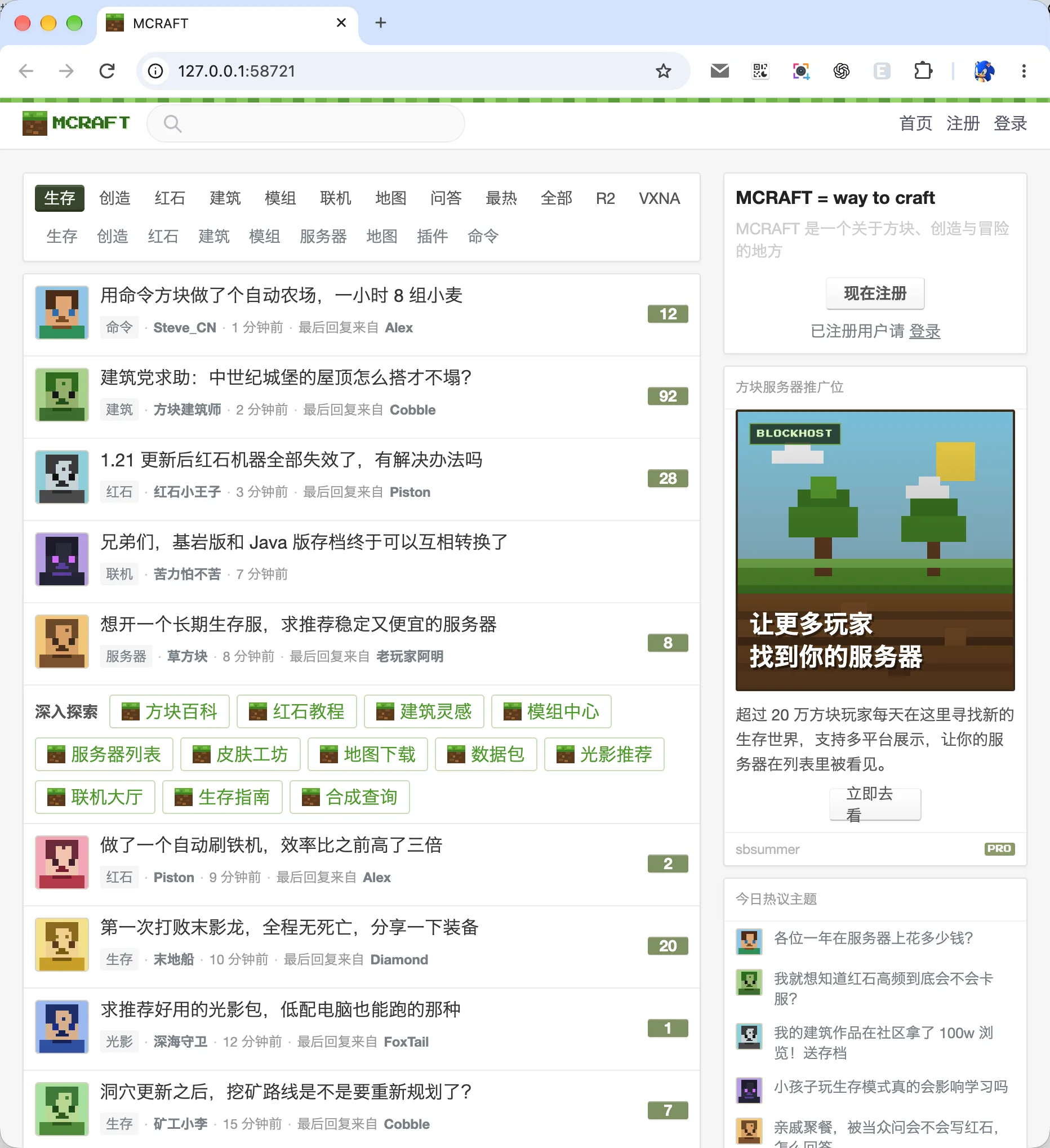
In knktc’s November 3 test, the input is edge.v2ex.com, Website and Clean room, with OpenCode selected. The request keeps a forum structure, changes the theme and uses test data, omitting posting and editing. The result is named MCRAFT.
Write down what must survive
A focused makeover request names both the visual change and the behavior to keep.
- Choose the reference. Use an accessible forum you are allowed to study, or use the three-topic exercise above.
- Separate structure from decoration. Keep the topic information and reading path. Describe the new palette, shapes and original artwork.
- Keep the scope small. Start read-only. Add a specific category filter and narrow-screen check.
A brief for the original practice forum
Build a small read-only forum called Field Notes.
Use these three fictional topics in this order:
- Build a small lighthouse | Builds | Lina | 12 replies
- Sort a chest with two hoppers | Automation | Moss | 7 replies
- Plan a village path | Builds | Rowan | 4 replies

Keep each title, category, author and reply count unchanged.
Add All topics, Builds and Automation filtering.
Make each topic open a short read-only description.
Offer Paper and Block-world themes using original artwork.
Changing the theme must preserve the selected category and topic data.
Reset must restore all three topics and the Paper theme.
Do not add accounts, posting or editing controls.
At 390px, keep the controls and reply counts readable without page overflow.
Deliver the project files, run instructions and a short check report.In Craft Anything, choose Website and the intended reference. The documented Clean room workflow uses visible observations. Starting a build uses your configured coding agent; the exercise above works on its own.
Check the information, then the styling
| Action | Expected result | If it fails |
|---|---|---|
| Choose Automation | One topic: Sort a chest with two hoppers, 7 replies. | Ask the builder to filter by category without changing the data. |
| Switch to Block-world | The same selected topic remains; only its presentation changes. | Keep the filter state separate from theme styling. |
| Open that topic | A short description appears in the page. | Implement the reading action instead of leaving a decorative title. |
| Reset, then check at 390px | Three topics, Paper theme, visible labels and counts. | Fix the reset values or narrow layout, then repeat the affected check. |
For your own result, inspect account and posting links too. If the project is read-only, keep its controls consistent with that scope.
Keep the project moving
- Find and keep the generated project files.
- Turn a failed feature check into a focused revision.
- Compare the native Hash.exe utility case.
Case sources and exercise notes
The case images and short account come from knktc’s original article, published November 4, 2026, about a v0.3.0 test on November 3. Images are unchanged; source and license notice. Mode behavior follows the versioned official README. Field Notes and its brief are original learning materials. See how the guides are prepared.