Choose a result to inspect
Overprivileged tested these three targets in a video published November 4, 2026. The creator identifies the test as Craft Anything v0.3.0, Clean room mode, with Claude Code on November 3. Screens below are excerpts from that demonstration.
Chrome Dino: check the playable loop
The first result is a robot runner. Its report shows 100% likeness; the video explains that the comparison captured the start screen.
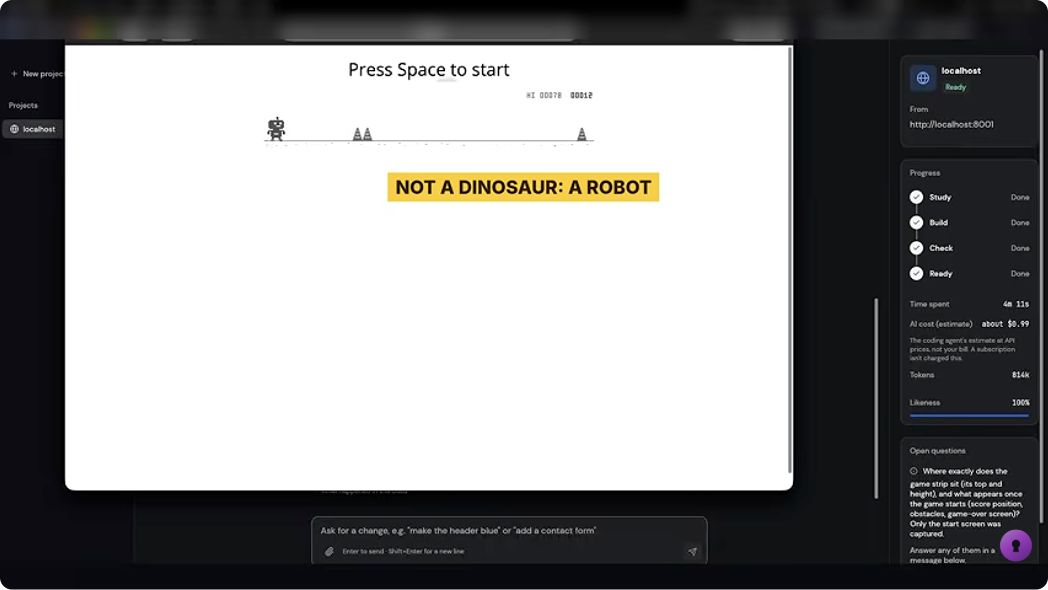
Give each action an expected result
- Start. Use Space. The waiting screen should become an active run.
- Jump. Use Space during a run. The character should leave the ground and land again.
- Collide. Let an obstacle reach the character. The run should stop and show a clear game-over state.
- Restart. Start another run. The current score should reset; check the best score separately.
Use these checks on your own result. A still image can show the character and layout; play is how you check movement and collision.
Refine the character with a specific request
The follow-up produces a different dinosaur with plates on its back. Write the character brief separately from the controls you want to preserve.
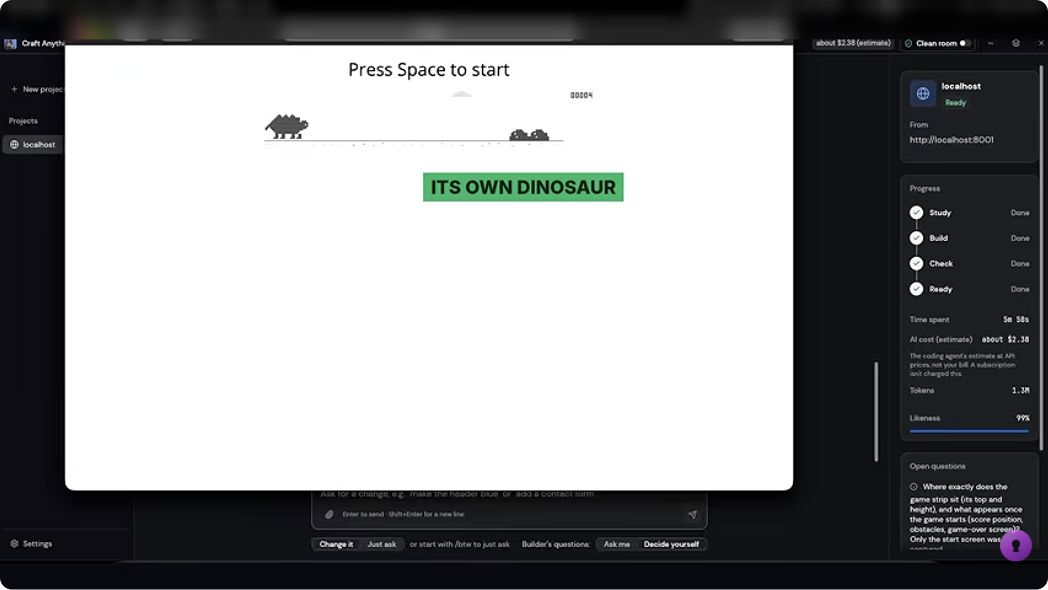
A useful next request
Keep the jump, collision, score and restart behavior. Replace the robot with an original small dinosaur silhouette. Check the same four actions again.
Copy the full runner brief ↓2048: check one move at a time
The second result is called Tilefold. The video reports working controls and merges, with 78% likeness after changes to the name and colors. A fixed row gives you a precise rule to check.
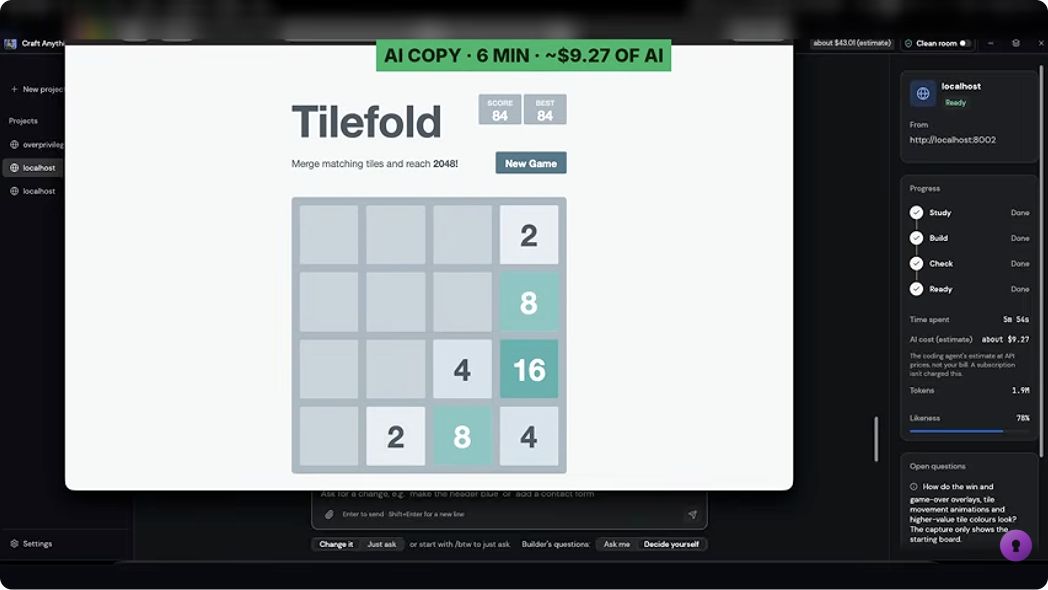
Predict the merge
One row, before a new tile appears. Each move starts from the selected row. An empty slot is shown as a dash.
Move left: 4, 2, empty, empty. Score gained: 4.
The first two 2s become 4. The third 2 stays separate. A tile formed by a merge cannot merge again during that same move.
Original learning exercise by this site. The rule follows the original 2048 move implementation: equal tiles merge once and add the merged value to the score.
Check the edge case
Choose A new merge stops, then Move left. The result is 4, 4, empty, empty, with +4 to the score. It takes another move to combine those 4s.
Check two pairs
Choose Two pairs, then Move left. The result is 4, 8, empty, empty. The score gain is 4 + 8 = 12.
For a full game, also test arrow keys, blocked moves, the new tile after a valid move, New Game and the best-score behavior. Read the original 2048 project ↗
Craft Watch: check names, data and routes
The third target is the creator’s own website. The comparison reaches 94%; the generated page also uses different app names and, according to the creator’s description, sample data.
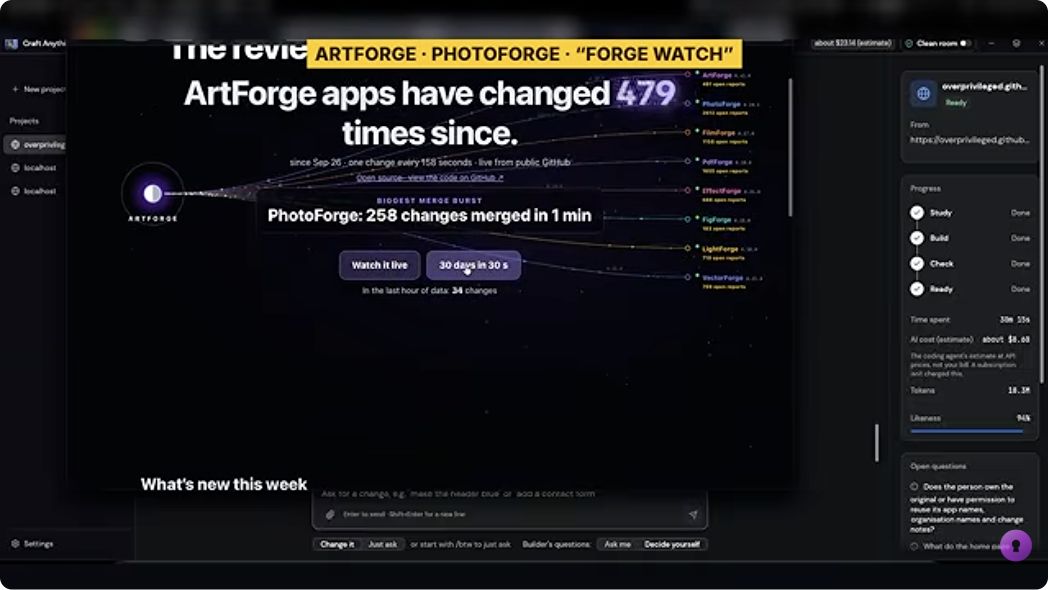
Identity
Compare the page title, app names, navigation labels and logos with your brief. Decide which names should remain and which should be original.
Data
Trace a visible number to its source. Confirm whether it is a sample, a saved snapshot or a live response, and check what happens when that source fails.
Routes
Open each promised page and use its main action. Check links, phone navigation, empty results and reloads.
Inspect the 94% comparison frame
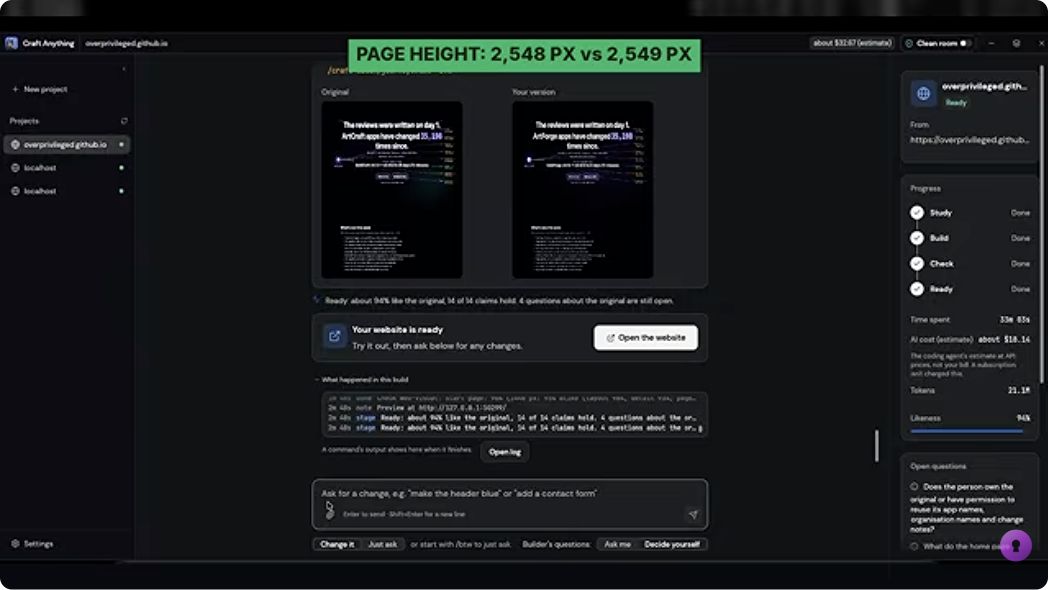
The nearly equal page heights help explain the layout comparison. They do not tell you whether the page’s data source updates or its routes work.
Turn one case into a small project
Choose one brief and keep its checks with the project. These are original practice requests you can adapt to your own reference.
Runner · one complete playable loop
Create a small browser runner using original art: a robot and simple obstacles.
Use Space to start and jump, and provide an on-screen Jump button for touch input.
Include collision, game over, current score, best score and restart.
Keep the game playable in a narrow phone viewport.
Check start, jump, landing, collision and restart. Record the expected and actual result for each.
Explain how to run the project and where its files are saved.
2048-style puzzle · rules before polish
Create an original 4-by-4 number-merging browser puzzle with arrow keys, touch controls, score, best score and New Game.
Use a clear original name and colors.
Provide a deterministic way to test a board before random tile spawning.
Check these left-move rows:
2,2,2,0 becomes 4,2,0,0; score gain 4.
2,2,4,0 becomes 4,4,0,0; score gain 4.
2,2,4,4 becomes 4,8,0,0; score gain 12.
Check that an unchanged move does not add a new tile. Then test normal random spawning separately.
Explain how to run and test the project.
Small website · three pages with traceable data
Study the website reference and sample data I provide. Create an original three-page practice site: overview, activity and app details.
Use the names and data in my brief. Label sample data as sample data.
Keep links between all three pages and provide usable phone navigation.
Make the main action on each page work. Include loading, empty and failed-data states where needed.
Check the layout at desktop and phone widths, then test each route, action and data source separately.
Keep a list of what is still missing. Explain how to run the project.