Test the bytes, not the filename
Calculate a sample, add a newline, then try the renamed file. A changed byte changes this sample’s digest; renaming the same bytes does not.
Choose an exact input
- Exact bytes (hex)
61 62 63- Byte count
- 3
SHA-256 result
No calculated result yet.Use the sample files below to try the same check in another tool.
Expected SHA-256 values
- abc.txt and renamed-abc.txt
ba7816bf8f01cfea414140de5dae2223b00361a396177a9cb410ff61f20015ad- abc-newline.txt
edeaaff3f1774ad2888673770c6d64097e391bc362d7d6fb34982ddf0efd18cb
The files contain exactly the bytes shown, without a byte-order mark. The first value matches NIST’s abc example.
An old Windows utility becomes a Mac app
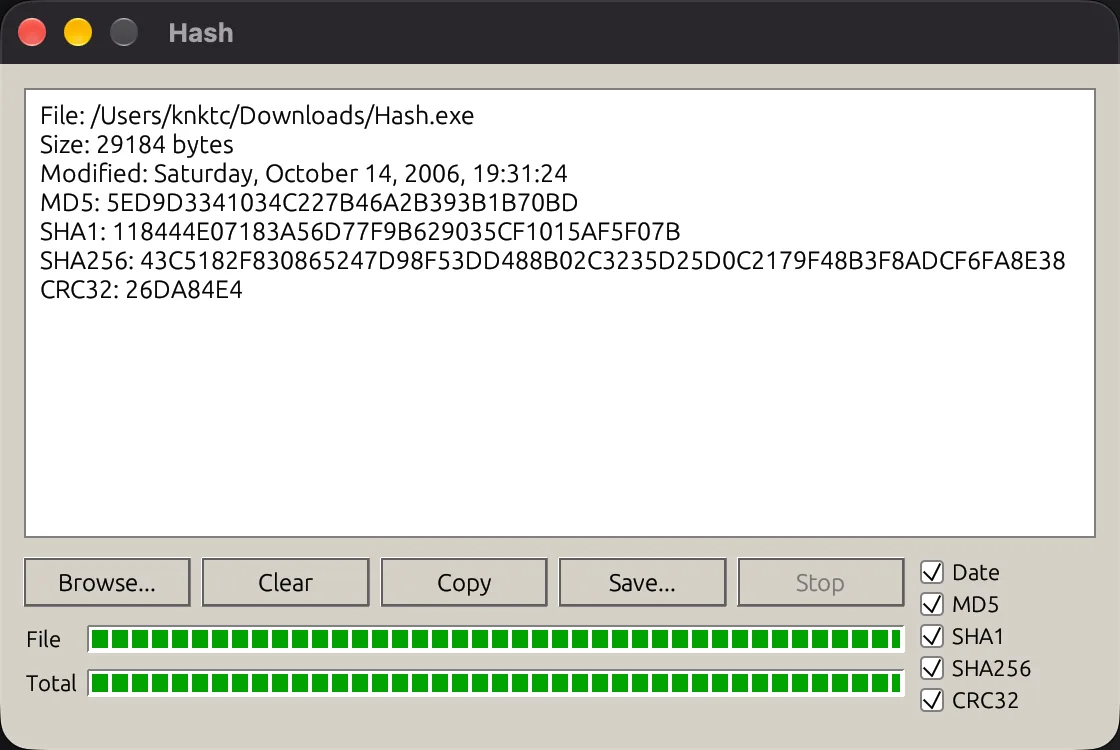
knktc supplied Hash.exe in Deep mode and requested a Mac version. The article reports a running egui result. Its screenshot shows file metadata and MD5, SHA1, SHA256 and CRC32 outputs; the author found the functionality more convincing than the visual match.
- Windows fileThe original program is the study input.
- Deep studyInspect its code and files with available tools.
- New Mac appThe coding agent writes a new implementation.
- Output checksCompare each requested behavior and digest.
Scope the utility before building
- Choose an allowed input. Select Application and a program file you are allowed to inspect. Name macOS as the output platform.
- Define the useful behavior. List the input types, algorithms and controls you need. Keep the first build small.
- Read the analysis-tool choice. In this version, Deep can use built-in tools; Ghidra adds an external analysis engine when installed.
- Open the generated result. Follow its run instructions. Download the samples above and compare the same algorithm on the same file bytes.
See the optional Ghidra step
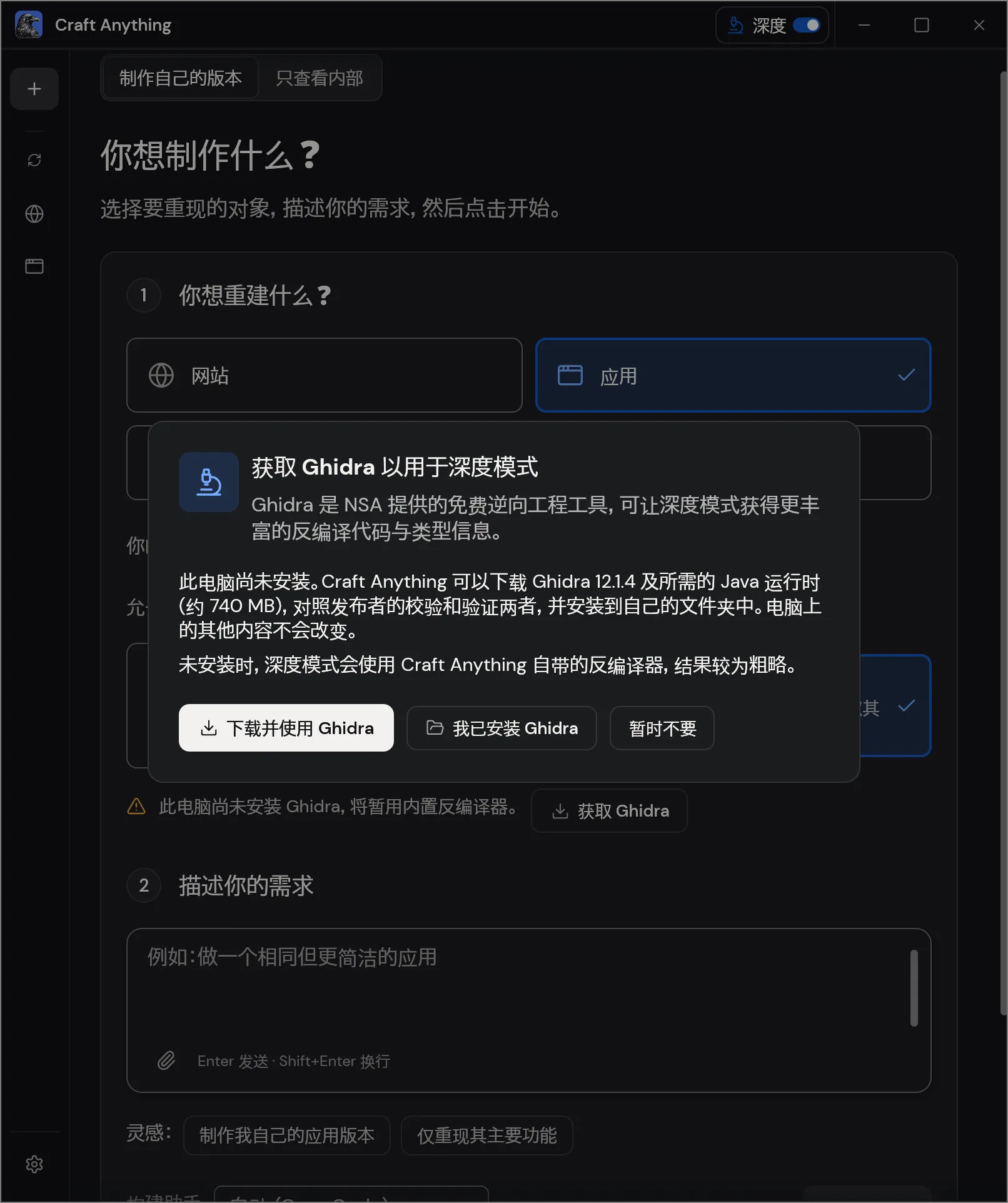
The dialog includes a “Not now” choice. The v0.3.0 README describes the built-in engines and optional Ghidra integration.
A small native-utility practice brief
Build a small macOS utility for checking file SHA-256 values.
Let me choose a local file, including a filename containing spaces.
Show the filename, byte count and lowercase SHA-256 digest.
Provide Clear, Copy digest and Save result as plain text.
Clear must remove the current file and result.
When I choose another file, never keep the previous digest labeled as current.
Compute over file bytes, including any final newline.
Verify abc.txt and renamed-abc.txt return the same digest.
Verify abc-newline.txt returns the separate expected digest.
Include run instructions and a report of the checks performed.This is an original SHA-256 practice brief. A Craft Anything build uses your configured coding agent. You can calculate and download the guide’s samples without building an app.
Check behavior with a small test set
| Test | Expected result |
|---|---|
| Open abc.txt, then renamed-abc.txt | 3 bytes each; the same SHA-256 value. |
| Open abc-newline.txt | 4 bytes and the different expected value above. |
| Copy the digest | Exactly 64 hexadecimal characters, with no filename or explanation. |
| Save a result | The saved text identifies the actual input and its current digest. |
| Clear, then choose a different file | The old result disappears; the new result belongs to the new file. |
If two tools disagree, check the algorithm, byte count and exact input file first. A final newline is a byte too.
Continue from the result
- Find the generated code and its run instructions.
- Save a problem note with the expected and actual result.
- Compare the V2EX website makeover.
Case sources and sample verification
Source case: knktc’s November 4 article, about a v0.3.0 test on November 3. Images are unchanged; source and license notice. The sample digest for abc follows NIST’s SHA-256 example; all sample files were cross-checked with Python and macOS shasum. The exercise uses Web Crypto digest() on predefined sample bytes. The samples, brief and exercise are original learning materials. See how the guides are prepared.