Start with the page the video shows
Watch this moment · 1:14 ↗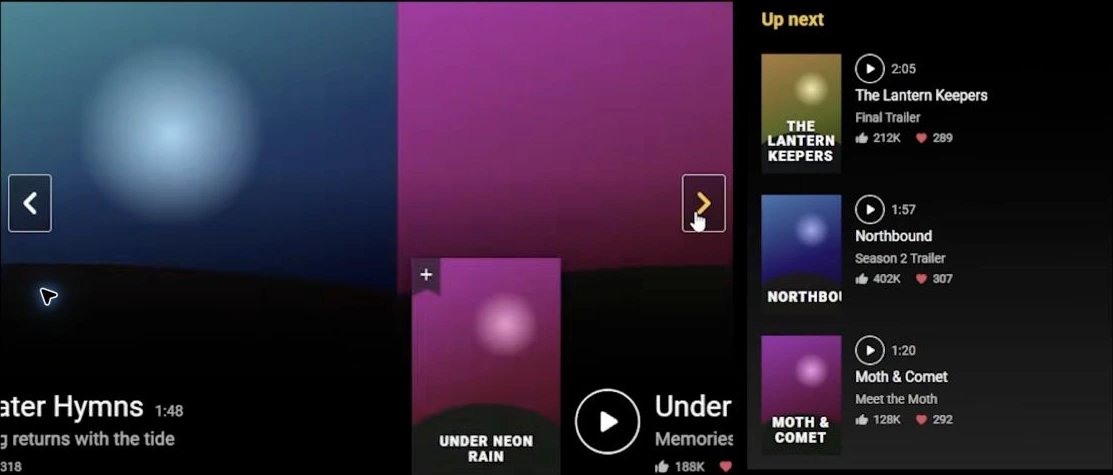
What is visible
- A large featured-film area.
- Carousel navigation arrows.
- Movie artwork and an “Up next” sidebar.
What to test next
- Do the arrows change the featured item?
- Do navigation and search perform their stated jobs?
- Can the page adapt to a narrow screen?
Use the preview to understand the layout. Use actions and expected results to judge the features.
Read each progress number separately
The panel records this attempt. Each field has its own meaning.
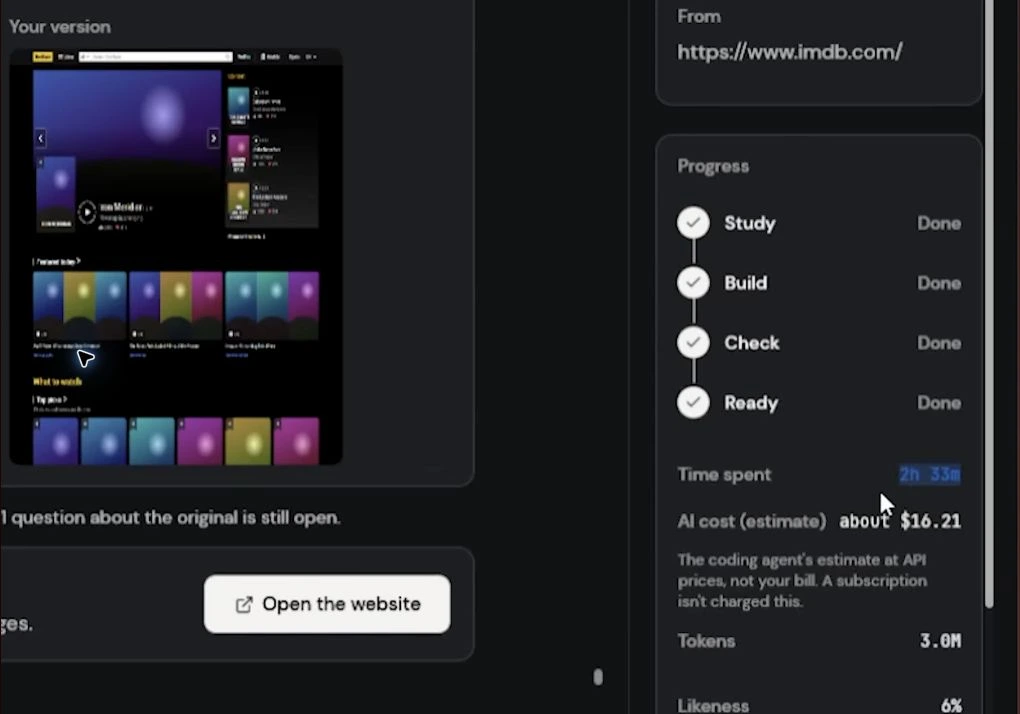
- 2h 33m
- The time shown for the project report. Check which attempts and retries a report includes.
- About $16.21
- An estimate at API prices. The panel itself distinguishes this from a bill and subscription charges.
- 3.0M tokens
- Approximately three million tokens recorded in this report. Compare usage over the same scope of work.
- 6% likeness
- The score for the two captured views. Inspect the Original image below to see what was compared.
Inspect the reference before the score
The final view puts an access-error page under “Original” and the generated page under “Your version”.
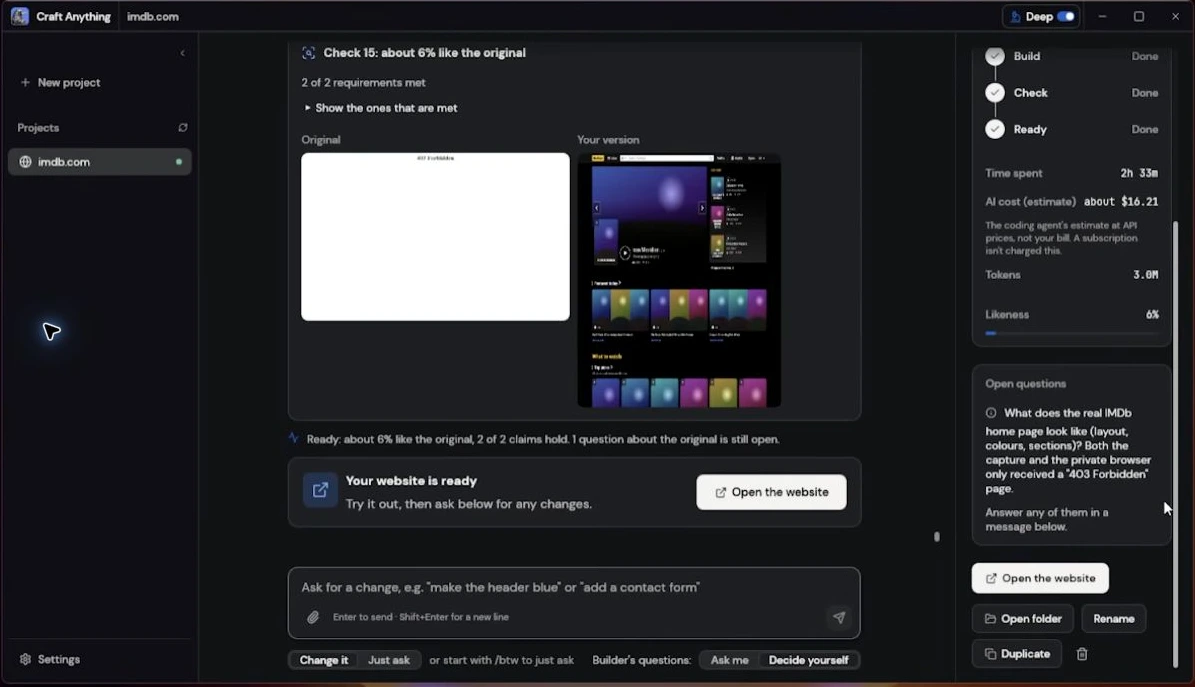
ORIGINAL403 Forbidden
The captured reference is an access error.
YOUR VERSIONA movie-page layout
The generated page is being compared with that captured state.
When this happens in your project
- Open the reference image. Check its contents, not only the target address.
- Use a readable target. For a first attempt, choose your own simple page or the six-film reference.
- Check again with the intended reference. Review both images and test the requested features.
Turn “looks right” into a useful check
Use this small movie catalogue to practice defining the expected behavior.
| Action | Expected result |
|---|---|
| Search “Paper” | Paper Cities is the only result. |
| Reset, then choose Drama | Paper Cities and A Map of Rain appear. |
| Combine Paper with Sci-Fi | No films match; the page explains the empty result. |
| Use Reset | Both inputs clear and all six films return. |
Keep your first request small
Choose one page and name its required actions before building.
EXAMPLE SCOPE
Six films. Search. Genre. Reset.
Ask for a visible count, a useful empty state and a readable phone layout. Then request one specific change and repeat the checks.
Get the complete movie-catalogue request →Video: GEEKrar · I Asked AI to Recreate IMDb With Craft Anything · November 4, 2026. Guide sources and preparation.Back to tutorials →