Try the project reference
Search six fictional films. Combine a title and genre, then reset.
Find your next story.
A reference made for this guide6 films
ORBIT
The Quiet Orbit
Sci-Fi · 2025
CITIES
Paper Cities
Drama · 2024
OF RAIN
A Map of Rain
Drama · 2026
SIGNAL
Midnight Signal
Thriller · 2025
GREENHOUSE
The Last Greenhouse
Sci-Fi · 2026
DETOUR
Sunday Detour
Comedy · 2024
Try a different title or reset the filters.
Get your reference ready
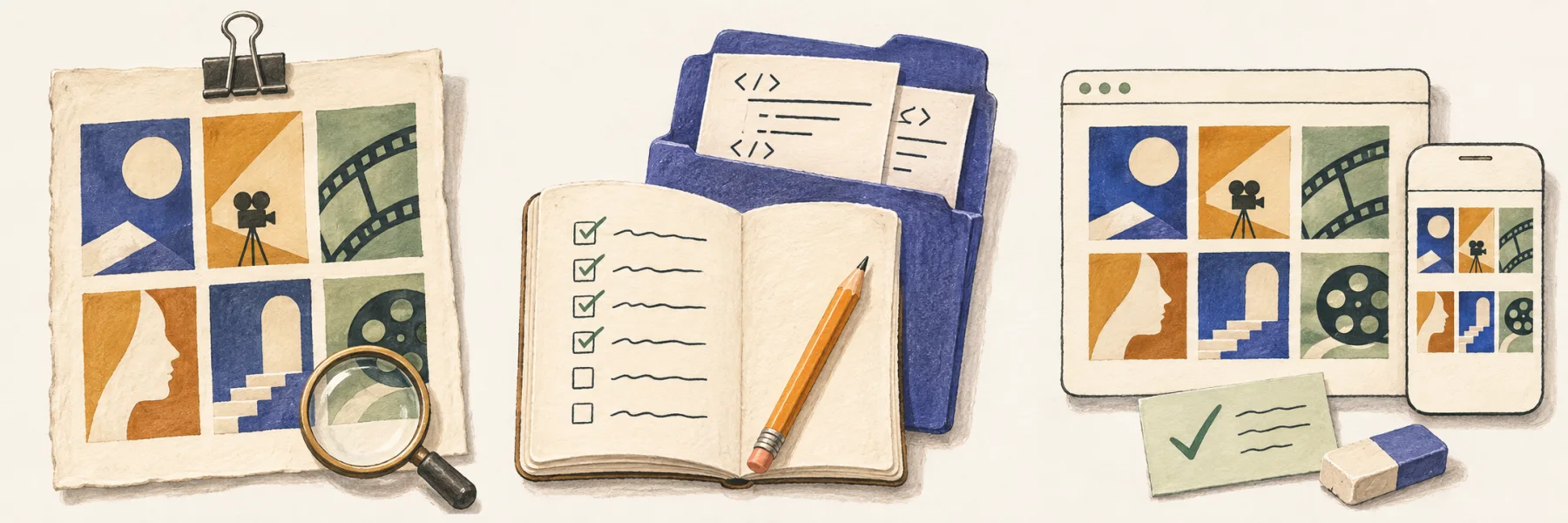
- Open the standalone reference and copy its address.
- Download the six-film data.
- Confirm the target opens from the environment that will study it.
Using a local preview? Keep its server running while Craft Anything reads the address.
Next: create the project →Create the project and paste the request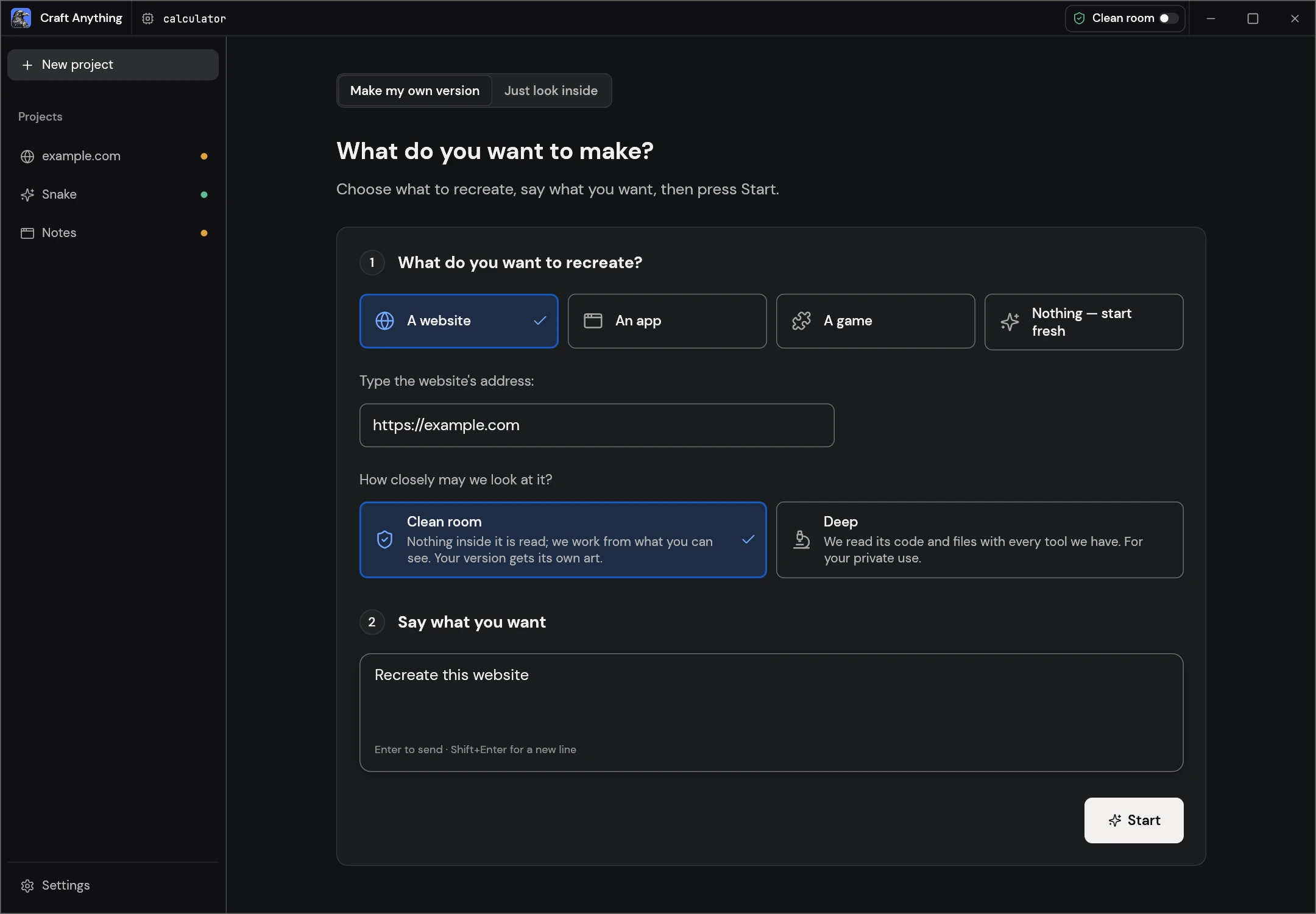
- Have your coding agent ready. Click New project, then A website.
- Replace the example address with your reference address.
- Use Clean room for this visitor-visible website exercise.
Clean room works from what a visitor can see. Deep can inspect available code and files.
Paste the complete request
Copy the request below into Say what you want, replacing the short example shown in the screenshot. Then select Start.
Read the complete request
Build a single-page film catalogue using the supplied reference.
Use HTML, CSS and JavaScript. Keep all film data local.

Include these six fictional films:
- The Quiet Orbit | Sci-Fi | 2025
- Paper Cities | Drama | 2024
- A Map of Rain | Drama | 2026
- Midnight Signal | Thriller | 2025
- The Last Greenhouse | Sci-Fi | 2026
- Sunday Detour | Comedy | 2024

Requirements:
1. A heading, title-search field, genre filter and reset button.
2. A responsive poster grid. Show each title, genre and year.
3. Search titles without case sensitivity. Trim surrounding spaces.
4. Combine search and genre filtering. Show the visible film count.
5. If there are no matches, show “No films match” and a reset option.
6. Reset clears both controls and shows all six films.
7. Keyboard users can reach and operate every control.
8. At 390px wide, controls fit and the page has no horizontal overflow.
9. Use original abstract poster artwork; no IMDb logos or film images.
10. Include instructions for opening or running the project.

Ask if a required input is missing. Build only this one-page scope.Follow the four stages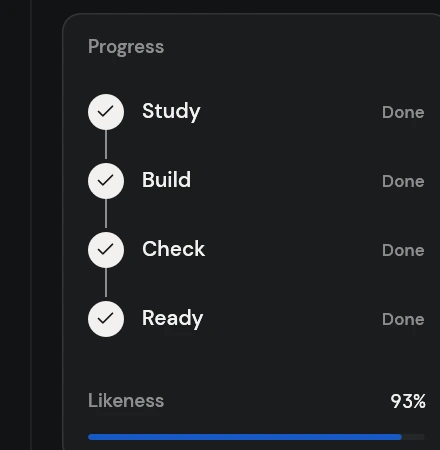
- StudyCheck that the intended reference was captured.
- BuildRead the latest activity and respond to questions.
- CheckInspect the reference and generated view together.
- ReadyOpen the result and try its features.
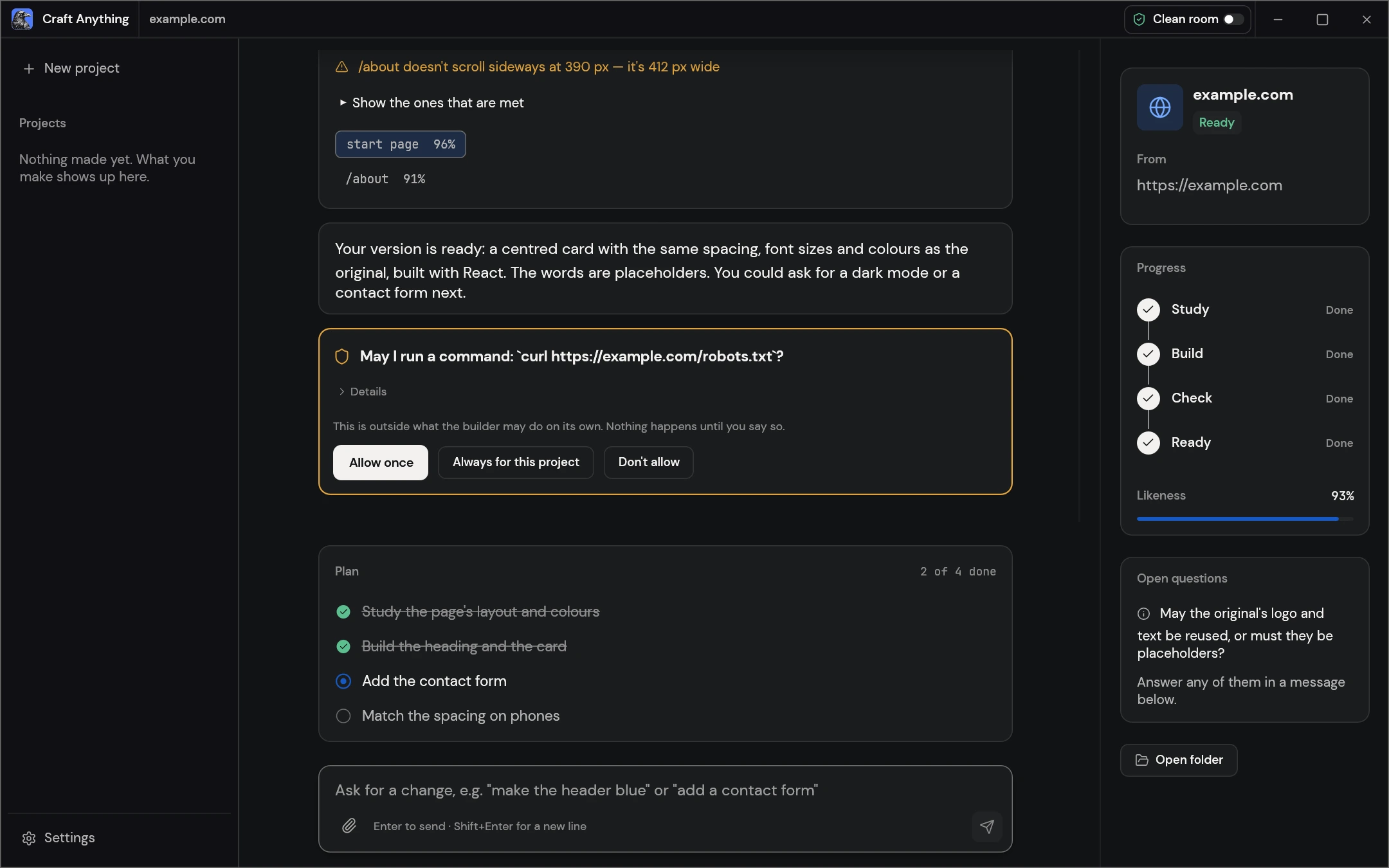
If the build asks for approval
Read the command and its target. Use Allow once for a single action you want to permit. Use Don’t allow when you do not want that action.
Check the website you generated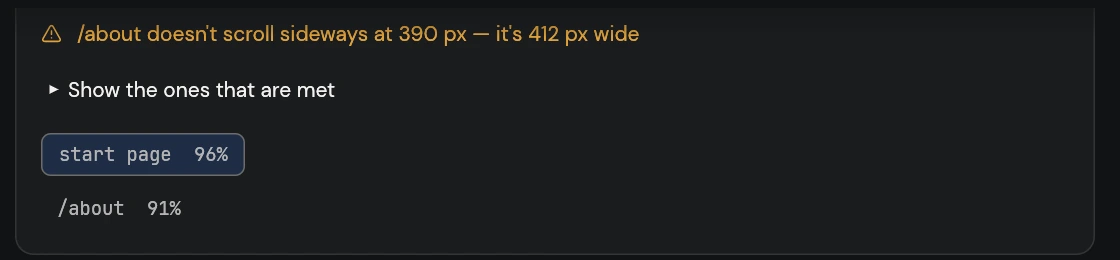
Read the check message for a concrete issue. This official example flags horizontal overflow. Then try each action in your own output. Tick it when the expected behavior works.
Make one change and check again
Use Ask for a change below the project conversation. If the first output omitted a result count, paste this revision and send it:
Add a visible result count above the grid.
Update it on search and genre changes, including 0 films.
Keep search, filter and reset working.
Check the 390px layout and that Reset restores six films.Read your time and usage report
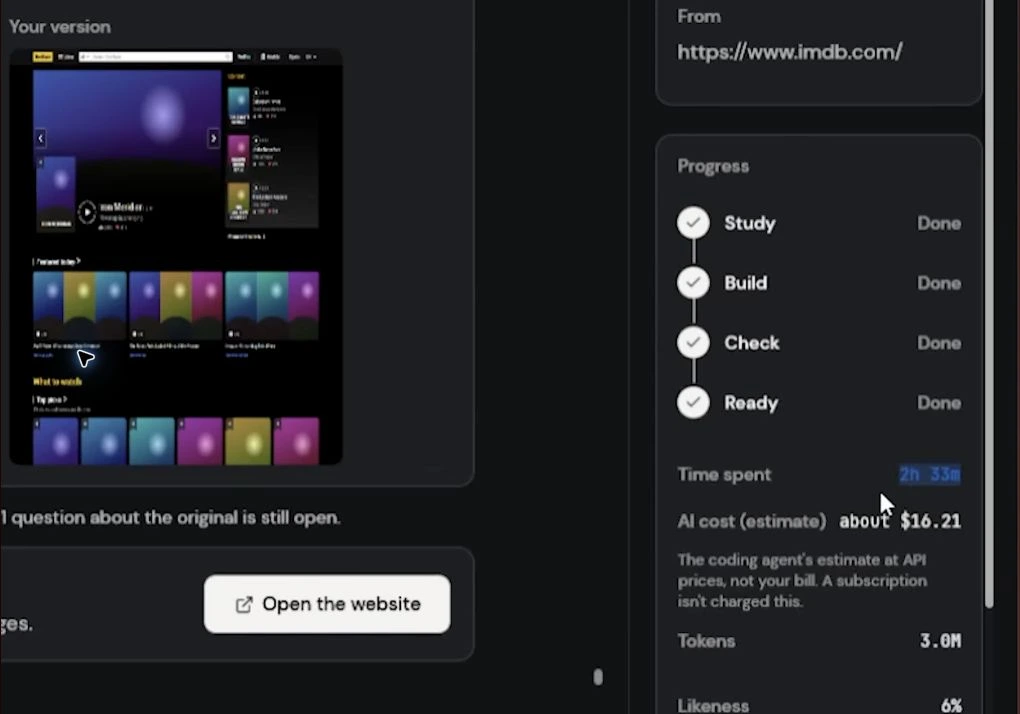
- Time
- Separate waiting, failed attempts and the build you are reviewing.
- Tokens
- Record the reported unit, builder and model where known.
- Cost
- Check actual charges with your provider; the interface shows an estimate.
Keep the project or recover from a problem
Select Open folder. Keep the entire project folder and its run instructions. Continue in the app or your development tools.
Sources and guide preparation