Try the movie reference
Search Paper, choose Sci-Fi, then Reset. This six-film exercise works right here in your browser.
Three actions. One clear result.
- Search “Paper”One film: Paper Cities.
- Choose Sci-Fi with that searchNo matching films. Notice the empty state.
- Use ResetThe search and genre clear. All six films return.
An original reference made for this guide.
Find your next story.
A reference made for this guide6 films
ORBIT
The Quiet Orbit
Sci-Fi · 2025
CITIES
Paper Cities
Drama · 2024
OF RAIN
A Map of Rain
Drama · 2026
SIGNAL
Midnight Signal
Thriller · 2025
GREENHOUSE
The Last Greenhouse
Sci-Fi · 2026
DETOUR
Sunday Detour
Comedy · 2024
Try a different title or reset the filters.
What do you want to do next?
Each route has a different starting point and a concrete next step.
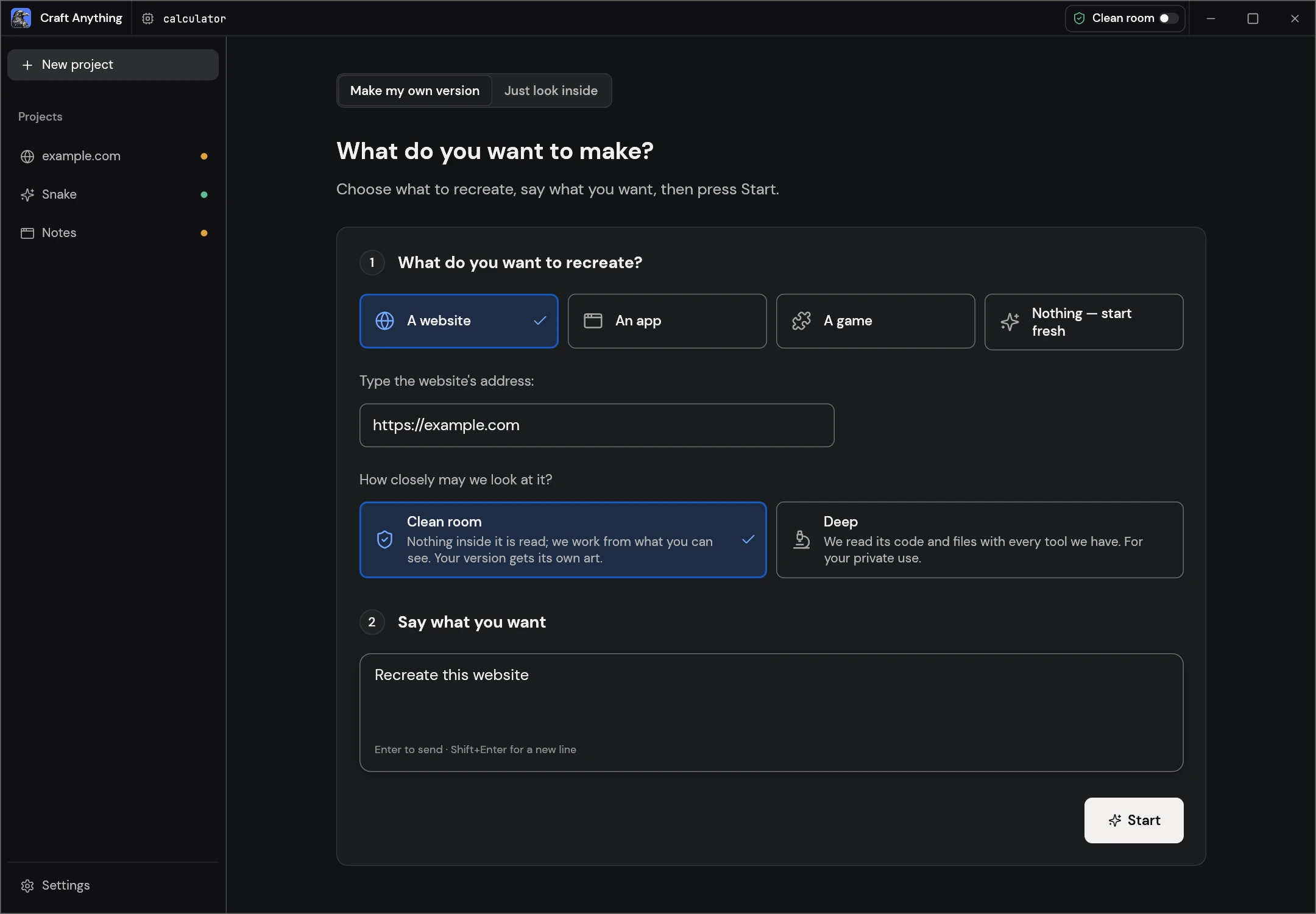
Get to your first project screen
Choose a desktop package, open the app and check the coding agent you will use for builds.
Follow the setup guide →
Work through the movie catalogue
Get the six-film data, copy the full request and use seven functional checks. Prepare your coding agent before the build step.
Open the project walkthrough →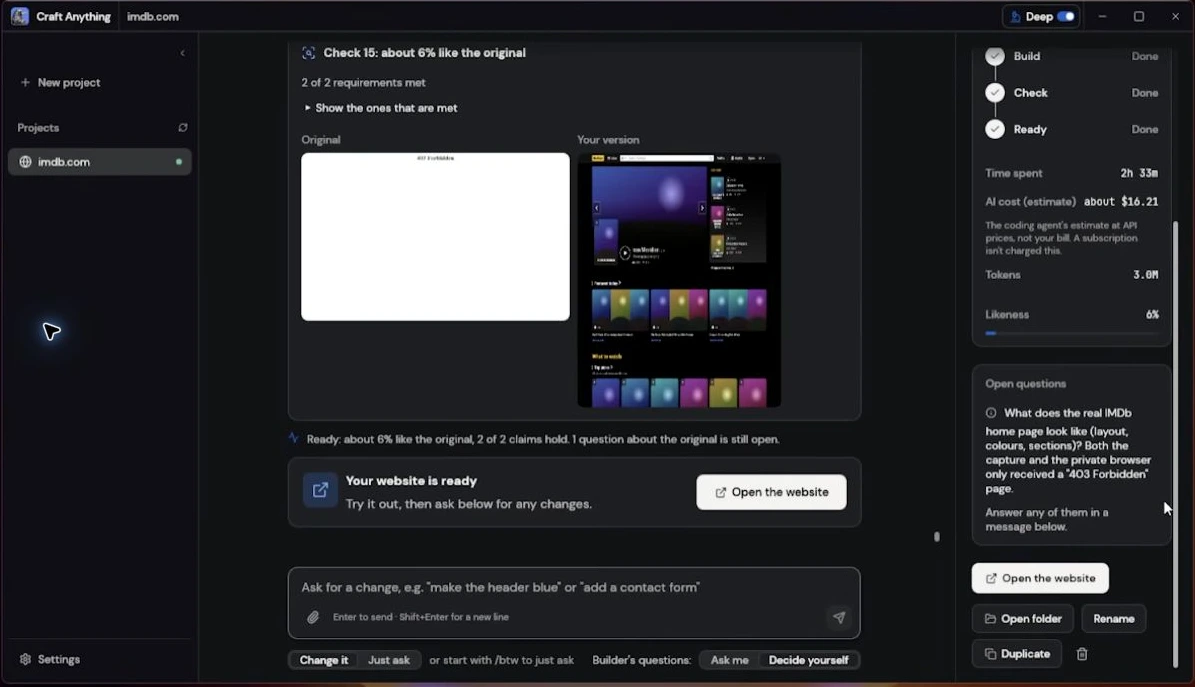
Understand the IMDb attempt
Follow three video moments. Learn why a generated page, a usage estimate and a comparison score answer different questions.
Read the screenshot breakdown →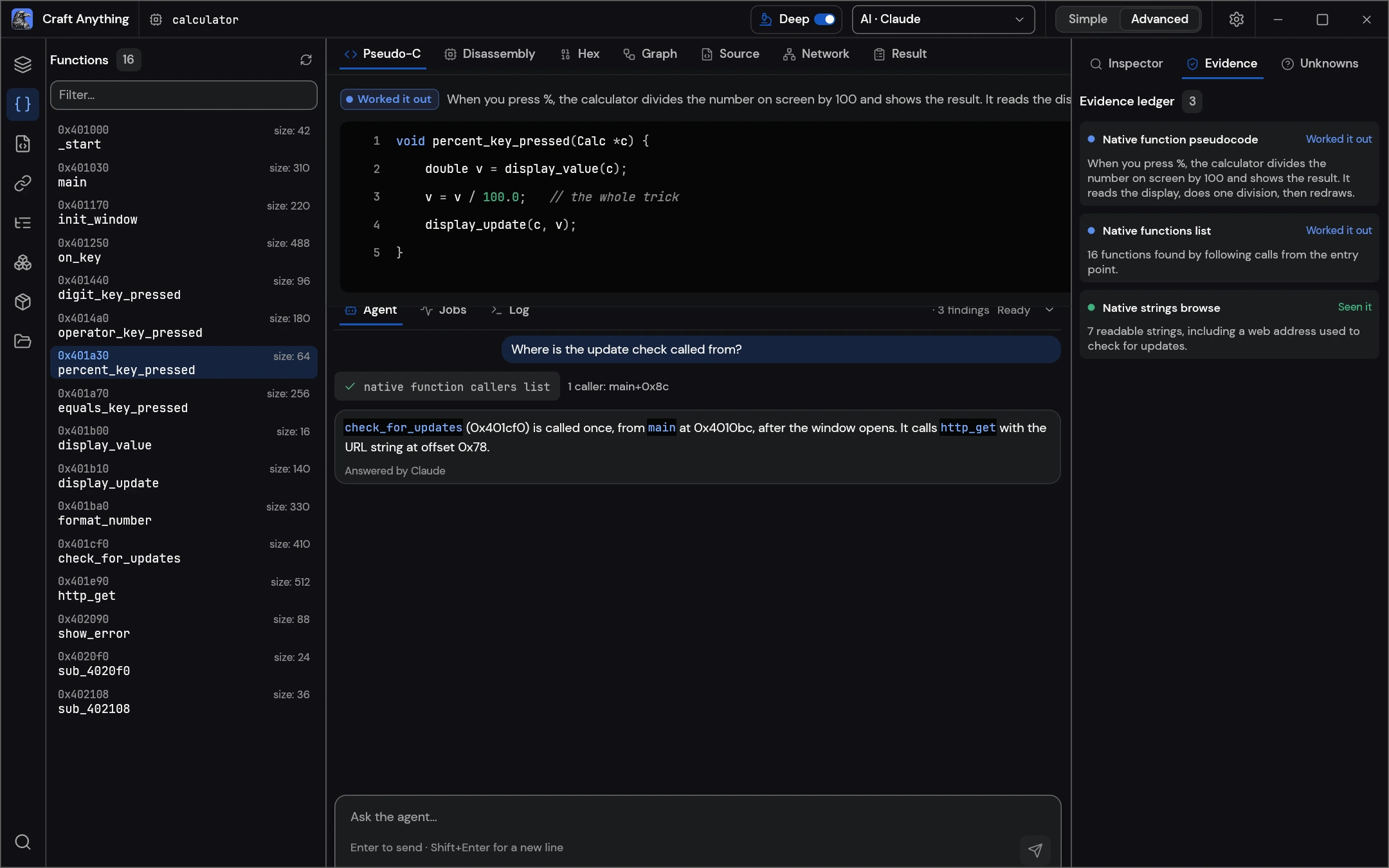
Explore tools before connecting AI
Look up help, tool discovery, diagnostics and setup previews. Each entry explains what to check and how to recover.
Browse the command reference →App screenshots: ArtCraft. Video image: GEEKrar · 2:10.
“Ready” is your cue to check
Read the activity, open the generated page and try its controls. Then inspect the reference used for comparison.
- Does the intended page open?
- Do the required actions work?
- Does the reference image show the right target?
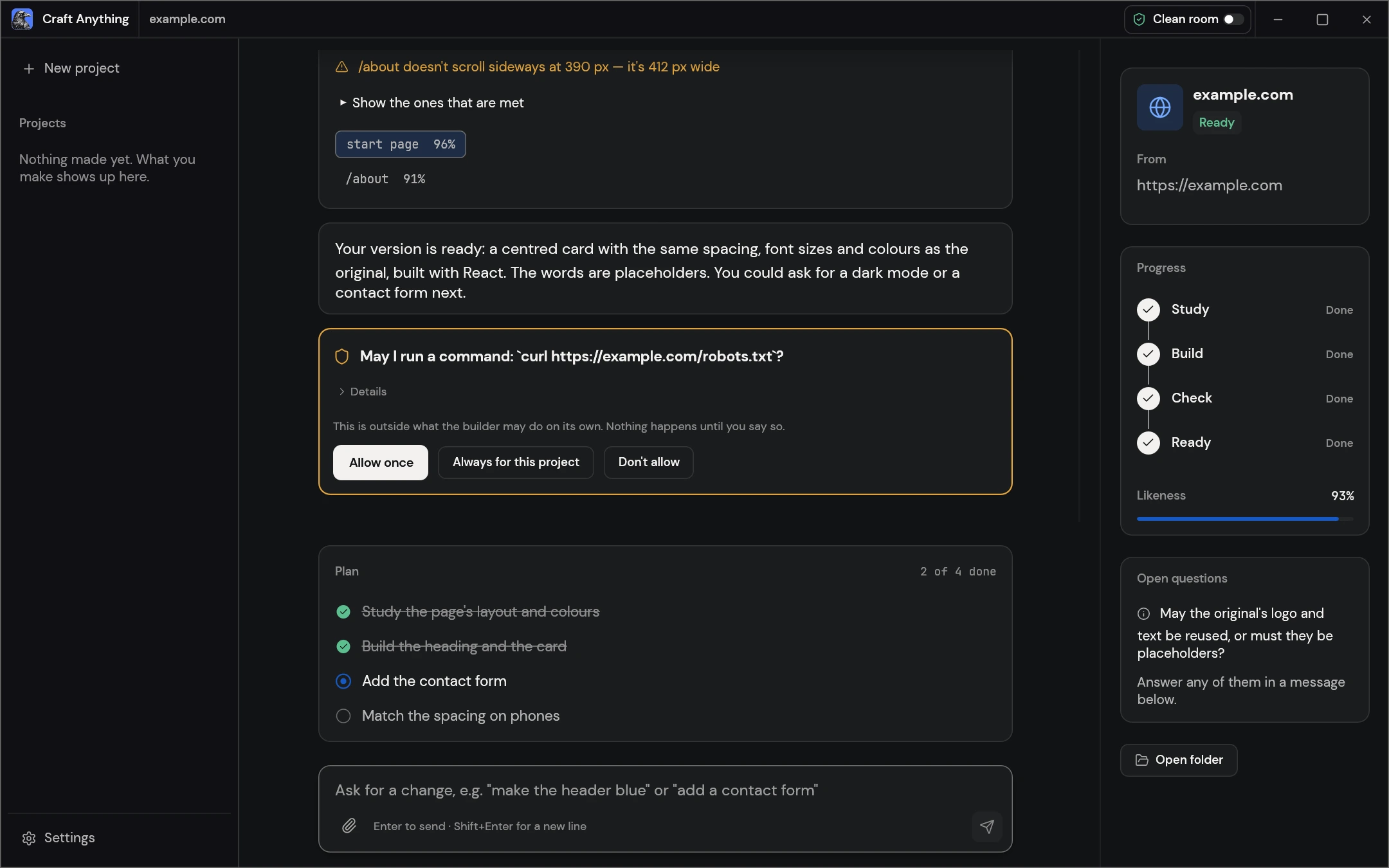
Keep the four steps connected
Give each stage a question you can answer.
- 01 · STUDYWhat was captured?
Look at the reference, not just its URL.
- 02 · BUILDWhat was made?
Find the project files and run instructions.
- 03 · CHECKWhat still differs?
Try the requested behavior and read the comparison.
- 04 · REFINEWhat should change?
Ask for one specific improvement and check again.