Try a real Craft Anything feature without AI
The official web viewer identifies a chosen file and shows its size and SHA-256. Use the small samples below to follow the same checks.
- On your computer
- A browser with WebGPU or WebGL2, and Python 3 for the local server below. No AI account or model setup.
- What you will check
- A PNG, the same bytes with a different filename, an SQLite database and an empty file.
- Want to start with less setup?
- Open and edit a single-file website. That separate lesson needs no Python or Craft Anything installation.
Extract the viewer, then serve that folder
- Extract the viewer ZIP. Open its
craft-anything-web-0.6.1folder. It containsindex.html, a hashed.jsfile and a matching.wasmfile. - Open a terminal in that folder. Use your terminal’s
cdcommand, followed by the actual extracted folder path in quotes. On Windows, you can open the folder in File Explorer and use Open in Terminal. - Start the server. Choose the command for your system below. Keep that terminal open while using the viewer.
- Open http://localhost:8767/. Wait for Craft Anything and Open a file… to appear. Use this address rather than double-clicking the viewer’s
index.html. - Extract the sample ZIP. Its four files are the inputs for this lesson. When finished, return to the server terminal and press Ctrl+C.
python3 -m http.server 8767 --bind 127.0.0.1py -3 -m http.server 8767 --bind 127.0.0.1A directory listing means the server is one folder too high. Open the extracted viewer folder in that listing, or stop the server and restart it inside the folder containing index.html.
Open the 78-byte PNG sample
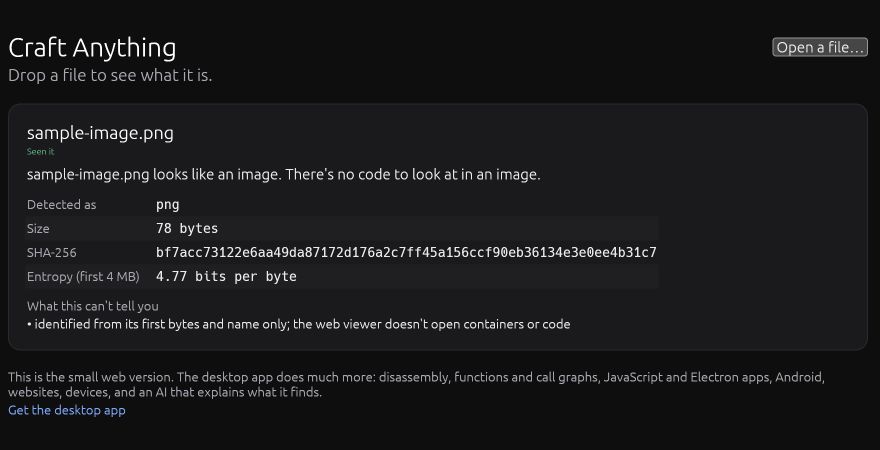
Select Open a file… in the viewer and choose sample-image.png. Our sample is a complete 16 × 12 pixel image.
| Field | Expected value |
|---|---|
| Detected as | png |
| Size | 78 bytes |
| Evidence label | Seen it |
| Summary | The file looks like an image. |
Compare the complete SHA-256
- sample-image.png · exact sample bytes
bf7acc73122e6aa49da87172d176a2c7ff45a156ccf90eb36134e3e0ee4b31c7
Use the downloaded sample unchanged. A different file can have the same type and dimensions while its SHA-256 differs.

Does changing the extension change the file?
For this sample, no. The PNG and DAT downloads contain exactly the same 78 bytes.
- Keep your PNG result open long enough to note its type, size and SHA-256.
- Select Open a file… again and choose
sample-image.dat. The filename changes; Detected as still readspng. - Compare the size and complete SHA-256. Both match the PNG result. You changed the name, not the image contents.
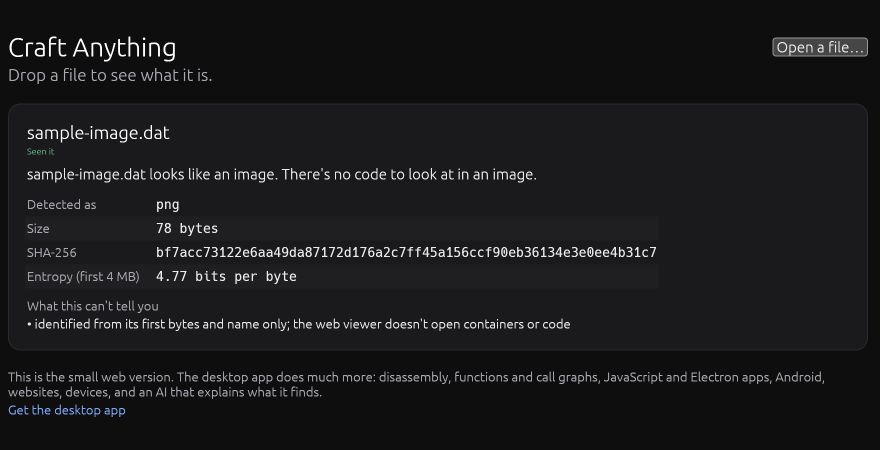
The viewer uses file signatures and names. This example checks a PNG signature; it does not mean that every file type can be identified from its contents alone.
Download the identical DAT sample ↓Try a database, then an empty file
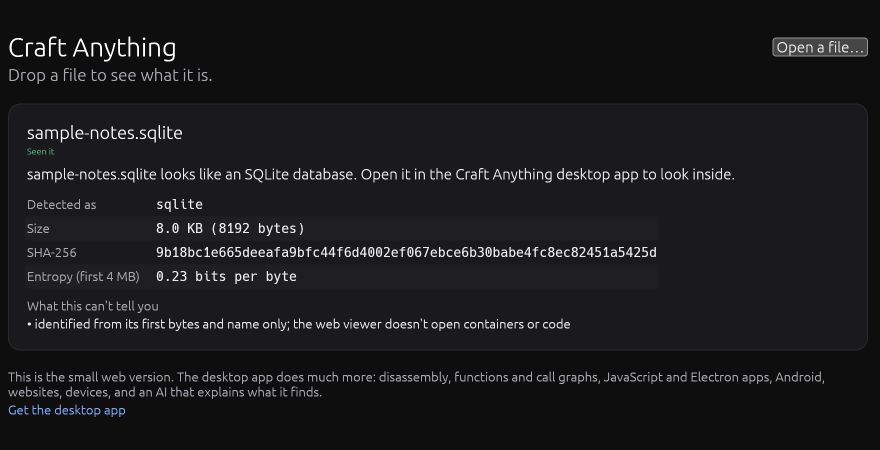
Choose sample-notes.sqlite. The viewer identifies its format and reports 8.0 KB (8192 bytes). It does not display the database’s rows.
| Choose | What to look for | Next action |
|---|---|---|
| sample-notes.sqlite ↓ | sqlite, 8192 bytes, Seen it | Use a database-capable tool when you want to inspect tables or rows. |
| empty.bin ↓ | binary, 0 bytes, Best guess | Check that you selected the intended file, then select the PNG again to continue. |
See the empty-file result
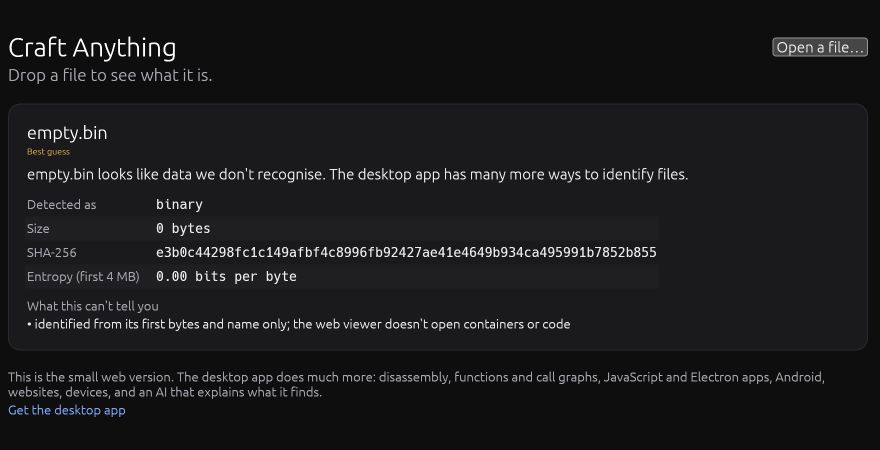
In this tested version, Seen it, Worked it out and Best guess are evidence labels. Read the actual fields alongside the label.
If the viewer does not open or a result differs
| What you see | What to do next |
|---|---|
| Python or py is not found | The local-server prerequisite is missing. You can first do the single-file HTML lesson, or install Python from python.org before returning here. |
| localhost cannot connect | Keep the server terminal open and check it started on 8767. Use the address and port shown there. |
| The address is already in use | Run the same command with 8768 instead of 8767, then open http://localhost:8768/. |
| A directory listing or 404 | Check the extracted folder. The server’s root must contain the viewer’s index.html and matching JS/WASM files. |
| The page reports WebGPU/WebGL2 is required | Try a browser that supports one of those renderers. A viewer that has not loaded cannot inspect your sample. |
| Type matches but the size or hash differs | Download the unchanged sample again and select that copy. Renaming alone should leave its byte count and hash unchanged. |
Tested version, sample files and sources
We used the official v0.6.1 web ZIP locally on November 13, 2026. The screenshots show our original sample files in that viewer. The viewer inspects files; generating a new application uses the desktop/CLI workflow.